

Make it yours.
A polished, branded digital business card with your photo, identity, contact details, and links—together in one destination.
The modern business card, built for the way you connect. One beautiful digital identity. One link or scan. Every detail right where it belongs.
A polished, branded digital business card with your photo, identity, contact details, and links—together in one destination.
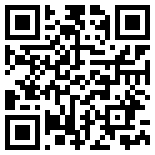
Meet someone in person or online. Send your card by link, show a QR code, and make your information easy to save.
Update your card when your details change and explore card engagement from your private EMPR Connect workspace.
Digital identity should feel effortless, not complicated. We keep onboarding personal and sharing simple.
Request an InvitationEMPR Media sends you a private invitation to create your account. No open signups or public registration.
Add your photo, business information, branding, and links from your own dashboard.
Publish when you're ready, then share your personal link or QR code. Recipients don't need an account.
Already part of EMPR Connect? Welcome back. Interested in joining? Let us know and we'll help you get started.
No. EMPR Connect accounts are created by invitation from EMPR Media. There is no public self-registration.
Not at all. Anyone with your published card link or QR code can open it in their browser.
Yes. Update your profile through the EMPR Connect dashboard, and your published card will show your latest saved details.
Use the Client Sign In button here to access your private workspace on cards.emprmedia.com.